
A 7-Year-Old’s Sketchbook, a Codex Project Folder, and a 2D Platformer
Mar 09, 2026 · prototype
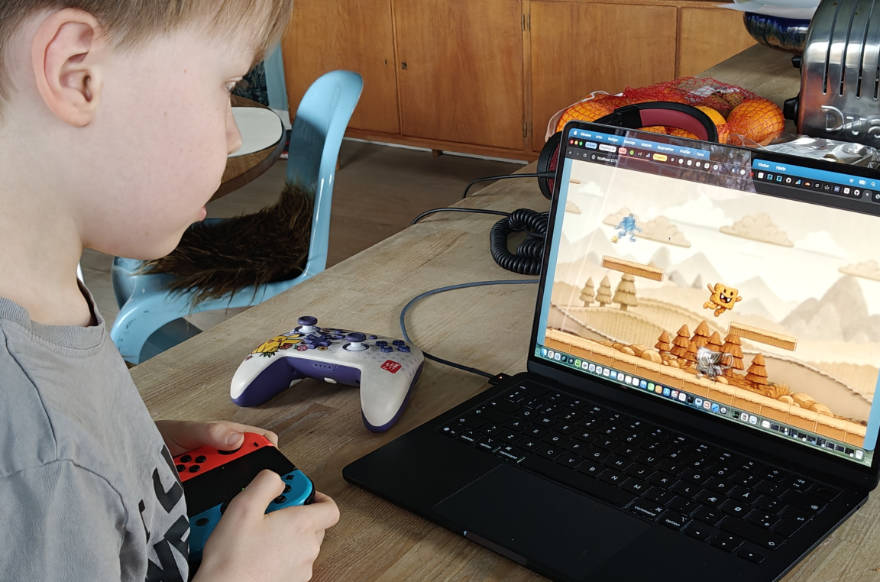
This experiment started as a slightly selfish parenting hack.
The youngest one is obsessed with video games, and the easiest way to get closer is usually to step into whatever world already has their attention. Building games seemed like a decent excuse to do that, especially if AI could keep the loop short enough that it doesn’t turn into “dad disappears into a terminal for three evenings”.
The first “it works” moment
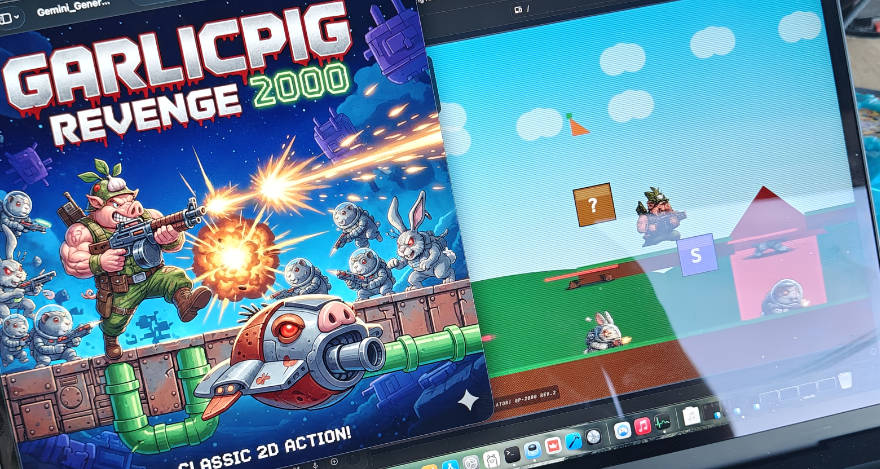
The entry point was Google AI Studio and a very dumb platform game with ugly SVG graphics. It ended up being called GarlicPig Revenge 2000, which is exactly the kind of title a 7-year-old will commit to with full confidence.
A cover image got generated with NanoBanana, and then AI Studio updated the game based on that cover. That part genuinely felt like cheating in a fun way.
Gameplay was… fine. A bit mushy. A few more tiny games followed, and the only genre that consistently worked was simple puzzle games.
Still, the important thing happened: the “this is possible” switch flipped. A notebook appeared at school, filled with game ideas, written like they were already real.
Switching toolchains
Last week, most personal projects moved over to the Codex desktop app. It’s faster, output quality is better, and the whole thing behaves like an actual codebase instead of a chat that happens to produce code sometimes.
That setup felt like it deserved a proper test: a 2D platform game in the vein of Super Mario, but not a clone.
Story ideas got thrown into ChatGPT as stream-of-consciousness fragments, and it turned the mess into something usable: a development plan plus concrete dev instructions.
A new Codex project folder was created, the documents were dropped in, permissions were set, and the build loop was allowed to run.
About 20 minutes later, an MVP existed. Still SVG-based visuals, but the movement and timing felt unexpectedly snappy. Less “school project”, more “this could be a real game if you keep going”.
From there, the boring-but-necessary question came up: which graphics are needed? Sprites for hero and enemies, environment tiles, and parallax background layers. The answer was a long checklist. Useful. Slightly exhausting.
Turning paper drawings into sprite sheets
At this point, the fun part could be handed over: draw the characters and enemies.
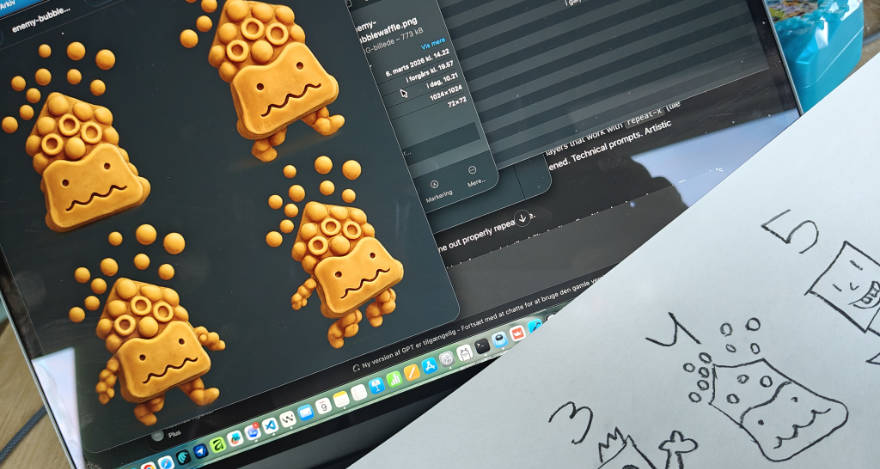
Speed won over refinement, which is the correct tradeoff at age seven. Paper after paper showed up, each sheet holding three to five new creatures, all with strong opinions and zero concern for consistency.
Those drawings got scanned and split into separate images, one character at a time. Then both ChatGPT and Gemini (NanoBanana2) were asked to generate sprite sheets: four poses (still, walk 1, walk 2, jump), transparent background.
An extra constraint made it more entertaining: transform the “material” and give it a slightly 3D-ish feel. Bubble waffle. Teddy bear with stickers. Chicken nugget. That kind of thing.
Gemini got dropped fairly quickly because transparency / alpha channels weren’t reliable. ChatGPT produced comparable character quality and saved time by just working.
Environment and ground sprites were also generated with ChatGPT. Small batches gave the best results. Starting a fresh chat for each generation helped too; long threads tended to get lazy and reuse the last output too much.
Where the models failed: parallax backgrounds
Backgrounds and parallax layers were where things stopped feeling magical.
The target was simple to state and hard to get: four background layers that work with repeat-x (tile seamlessly forever as the level scrolls). Endless prompting happened. Technical prompts. Artistic prompts. “Seamless.” “Match edges.” “Tileable strip.”
Not even one background came out properly repeatable.
This seems like a very human kind of constraint: tileability isn’t a vibe, it’s a hard requirement. The models just aren’t trained to hit it reliably yet.
So the boring solution happened: manual adjustments in Affinity to make the layers tile.
Back into the codebase
Once assets existed, everything got added to the project with minimal instruction: map the assets, wire them up, implement them.
Codex handled it surprisingly well. Most fixes were small alignment things: a character floating above ground, needing to be moved down by ~10% of its own height.
The game started to look good. Gameplay was decent.
Then a very real usability problem showed up: keyboard controls aren’t naturally fun when you’re seven.
Controller support became the next request. A Nintendo Switch controller got paired, Codex added the implementation, and a few extra prompts later the input felt snappy enough that the game became something that could actually be played without frustration.
Status
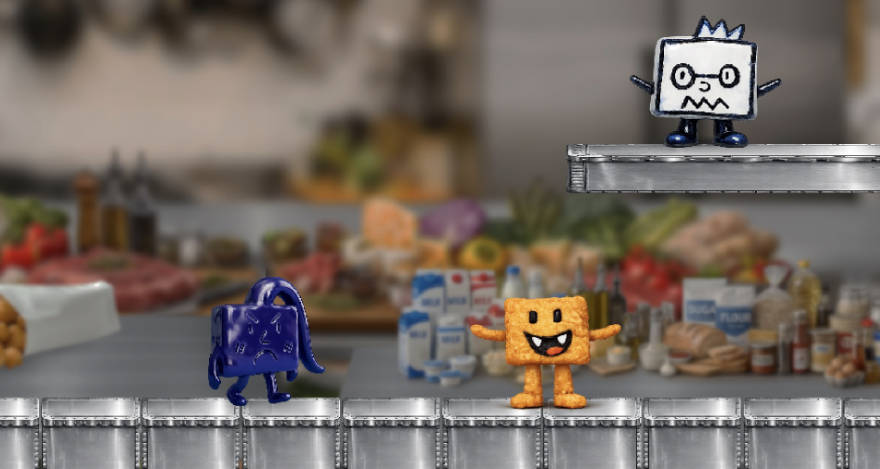
Right now there are four levels with distinct design (two more are waiting on new backgrounds), 18 enemies, one hero, and a game that’s genuinely fun in short bursts.
The bigger result is harder to measure, but easier to notice: the loop is short enough that a sketchbook can turn into something playable before bedtime, and that keeps the whole thing alive.
This is still a work-in-progress prototype for unusable.ai, but it already makes one point fairly clear:
“AI in the loop” isn’t only about speed. It’s about keeping the loop tight enough that motivation doesn’t leak out before anything becomes real.